
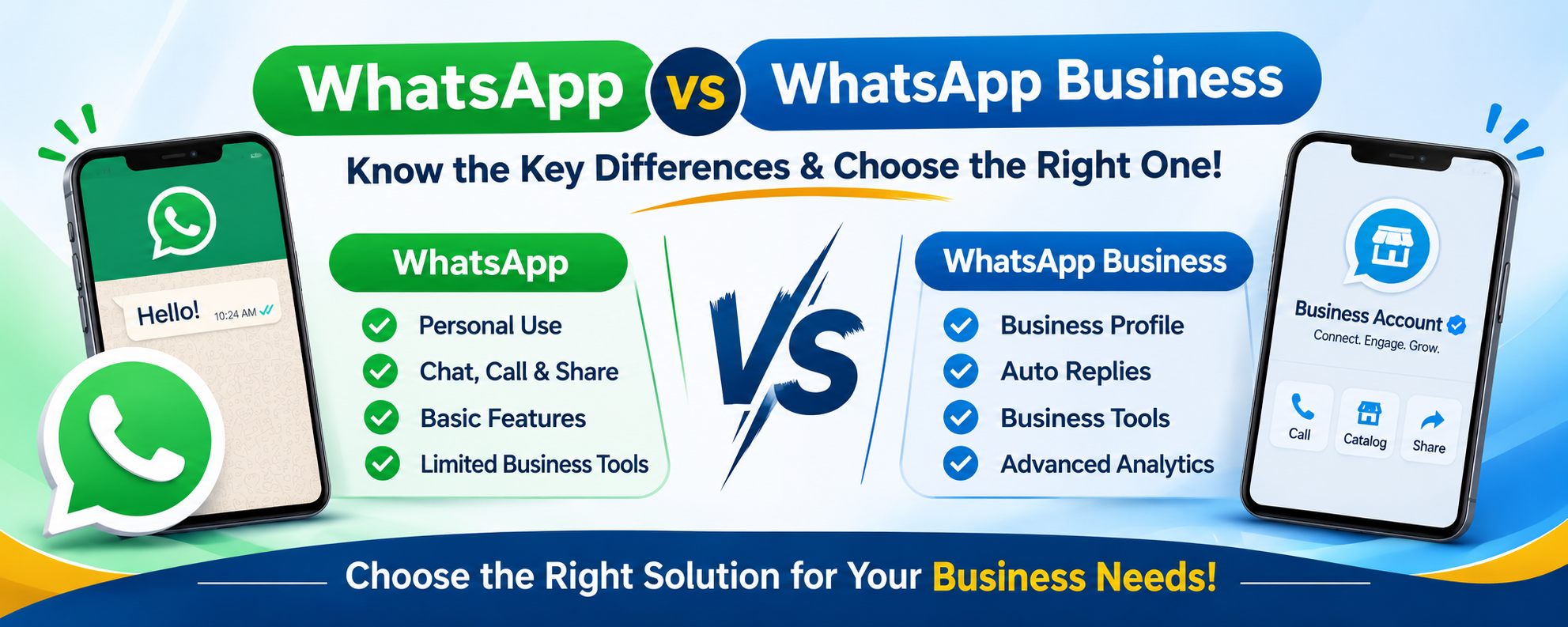
WhatsApp is one of the most widely used means of communicating with your customers, posting information, and handling daily communication. Various companies use WhatsApp to respond to customer queries, sell their products, send promotional offers, and offer customer service.
But when deciding whether to opt for regular WhatsApp or WhatsApp Business, there are several issues that business people have regarding both apps.
Features of the applications include messaging, calling, video calling, and media sharing, while WhatsApp Business is equipped with extra features that make it suitable for business use.
So, what is the difference between WhatsApp and WhatsApp Business? Which one is better for your company?
In this guide, we will explain 15 key differences between WhatsApp and WhatsApp Business, compare their features, and discuss when businesses should consider WhatsApp Business API.
What Is WhatsApp Messenger?
WhatsApp Messenger is an individual messenger app through which people can communicate with their friends, family members, colleagues, and other contacts.
It offers various types of communication services like SMS, voice calls, video calls, document transfer, group communication, and status messages.
People normally use WhatsApp Messenger for personal purposes rather than operating their businesses.
Key Features of WhatsApp Messenger
- Send and receive messages instantly.
- Place voice and video calls.
- Transfer photos, videos, and files.
- Create one-on-one or group chats.
- Exchange live location and contact information.
- Create status messages.
- Utilize voice messages.
- Have access to end-to-end encrypted messages.
Standard WhatsApp is appropriate for personal use. However, there are no dedicated features for managing your business, like product catalogs, business profiles, greeting messages, and customer labels.
What Is WhatsApp Business?
WhatsApp Business is another messaging application that is especially made for small businesses that require professional contact with customers.
It has all the core functionalities of WhatsApp as well as some more tools that assist businesses in exhibiting their products and managing conversations.
For instance, a retail shop can use WhatsApp Business to show its product line, make deals with customers, and provide information about the business.
Key Features of WhatsApp Business
-
Business Profile
Build an official business profile that includes the business name, description, address, email, website, and working hours.
-
Product Catalogue
Feature products or services by creating a digital catalogue so that customers know the range of products available.
-
Greeting Messages
Automatically greet customers who initiate communication with your business.
-
Away Messages
Notify customers about when you are away or when you are out of working hours.
-
Quick Replies
Create frequently used messages and reply to customer inquiries quickly.
-
Labels
Categorize messages under labels, such as new queries, pending orders, delivered orders, and follow-ups.
-
Business Status
Promote any product announcements, business updates, or offers using the WhatsApp Status feature.
-
Business Broadcasts
If eligible, businesses in some countries can use other broadcast features as well.
WhatsApp Business is a free app; however, some optional features may have a cost depending on their availability.
If businesses need further advanced messaging functionalities, they can consider WhatsApp Business API services.
WhatsApp vs WhatsApp Business: Quick Comparison
Before exploring the 15 major differences, here is a quick comparison of both applications.
| Features | WhatsApp Business | |
| Main purpose | Personal communication | Business communication |
| Target audience | Individuals | Small businesses |
| Messaging | Yes | Yes |
| Voice and video calls | Yes | Yes |
| Business profile | No | Yes |
| Product catalogue | No | Yes |
| Greeting messages | No | Yes |
| Away messages | No | Yes |
| Quick replies | No | Yes |
| Customer labels | No | Yes |
| Business broadcasts | No | Available to eligible businesses |
| Customer organisation | Basic chats | Business labels and lists |
| Marketing tools | No dedicated business tools | Business-focused messaging tools |
| Pricing | Free | Free to download; some optional paid features |
| Best suited for | Personal use | Small business operations |
The main difference is that regular WhatsApp focuses on personal communication, whereas WhatsApp Business provides additional features for managing customer interactions.
WhatsApp vs WhatsApp Business: 15 Key Differences
Let’s understand the 15 major differences between WhatsApp and WhatsApp Business.
1. Purpose of Use

WhatsApp is developed for personal communication purposes among individuals.
WhatsApp Business is developed specifically for the needs of business owners communicating with customers, managing their inquiries, and marketing their services or goods.
Example: An individual uses WhatsApp to communicate with his/her acquaintances, while a clothing store owner can use WhatsApp Business for answering product-related questions.
2. Business Profile
The regular version of WhatsApp comes with a profile containing basic information like your name and profile picture.
WhatsApp Business allows companies to set up a professional profile, including:
- Name of the company.
- Description of the company.
- Category of the business.
- Address of the business.
- Email ID of the company.
- Website of the company.
- Working hours.
3. Product Catalogue

Standard WhatsApp service does not have a business product catalogue.
However, with WhatsApp Business, qualified businesses can feature their products and services through an online catalogue.
A good instance would be that of a jeweler showcasing his/her product images, descriptions, and prices to potential buyers.
4. Automated Greeting Messages

The business greeting message feature is not available on WhatsApp Messenger.
The use of WhatsApp Business enables businesses to set up automatic business greetings for customers when initiating conversations.
This helps businesses respond to queries without having to manually reply to all customers.
5. Away Messages

Regular WhatsApp lacks features like business away message settings.
However, WhatsApp Business lets businesses send automated messages in cases where they are unavailable or during their non-work hours.
For instance:
“Thanks for reaching out to us. Our team is presently unavailable. We will get back to you once we return to our work schedule.”
6. Quick Replies

WhatsApp Business offers quick replies that allow businesses to save frequently used messages.
For example, a company can save responses about:
- Product details.
- Service information.
- Business timings.
- Payment methods.
- Delivery information.
- Frequently asked questions.
This helps reduce repetitive typing and improves response efficiency.
7. Customer Labels

Regular WhatsApp provides basic chat organization.
WhatsApp Business includes labels that help businesses categorize customer conversations.
Common categories include:
- New Customer.
- New Inquiry.
- Pending Payment.
- Order Confirmed.
- Order Completed.
- Follow-Up Required.
This makes it easier for small businesses to manage their customer conversations.
8. Business Broadcast Features

Personal WhatsApp does not have any specific messaging tool for sending messages in campaigns for business purposes.
WhatsApp Business provides specific tools for business campaigns and additional tools depending on the country and the business.
These businesses can use messaging tools for their promotions and other information through these messaging tools.
9. Business Marketing

Personal WhatsApp does not have any specific messaging tool for sending messages in campaigns for business purposes.
WhatsApp Business provides specific tools for business campaigns and additional tools depending on the country and the business.
These businesses can use messaging tools for their promotions and other information through these messaging tools. WhatsApp marketing services in India.
10. Customer Support

The usual version of WhatsApp is appropriate for personal use but does not have features specific to customer management.
Features of WhatsApp Business include quick responses, greetings, away messages, and labels, which make it easy for small businesses to manage customer inquiries.
Big enterprises might require additional options through WhatsApp Business API.
11. Multiple Device Management

The two platforms both allow for linking devices, although the features available to them may differ based on account type and eligibility.
WhatsApp Business also provides extra business-oriented capabilities for the device or agent through its eligible features and plans.
For businesses with multiple support agents, an API-linked team inbox would prove to be useful.
12. Automation Capabilities

Regular WhatsApp is mainly developed for manual messaging.
WhatsApp Business offers a basic automation feature in the form of greeting and away messages.
However, WhatsApp Business API enables advanced automation by integrating with various apps and bots.
Some of the tasks that can be automated include:
- Acknowledging leads.
- Order confirmation.
- Delivery status.
- Customer service.
- Appointments.
Learn more about how to automate WhatsApp messages for leads, orders, and customer support.
13. Customer Communication at Scale

WhatsApp is not meant to be used in a large business environment.
WhatsApp Business can be helpful to small businesses, but other businesses might have a better use for WhatsApp Business API.
WhatsApp Business API allows for business messaging, automation, and system integration with customers’ communication systems.
14. Integration with Business Tools

There is no separate business API for WhatsApp that would link messages with the organization’s software applications.
The WhatsApp Business App provides some tools for business communications.
The WhatsApp Business API helps organizations link messaging to their:
- CRM system.
- E-commerce software.
- Customer service systems.
- Marketing automation system.
- Order management system.
- Chatbot platforms.
15. Pricing and Cost

The basic WhatsApp application comes at no cost to download and utilize its fundamental features.
Also, the WhatsApp Business application is free to download and utilize its fundamental features. Nevertheless, certain extra business features might incur an additional cost.
WhatsApp Business Platform costs will depend on any Meta messaging costs as well as other providers’ fees, software, and integrations costs.
A business needs to evaluate the existing pricing and features offered by WhatsApp before making any decisions.
WhatsApp vs WhatsApp Business: Which Is Better for Your Business?
Choosing between WhatsApp and WhatsApp Business depends on how you communicate with customers.
Here is a simple guide.
| Business Requirement | Recommended Option |
| Personal conversations | |
| Friends and family communication | |
| Local shop communication | WhatsApp Business |
| Product catalogue | WhatsApp Business |
| Customer enquiries | WhatsApp Business |
| Automated greeting messages | WhatsApp Business |
| Basic customer management | WhatsApp Business |
| Advanced automation | WhatsApp Business API |
| CRM integration | WhatsApp Business API |
| Large-scale business messaging | WhatsApp Business API |
When Should You Choose Regular WhatsApp?
Choose regular WhatsApp if:
- You mainly communicate with friends and family.
- You do not need a business profile.
- You do not manage customer inquiries.
- You only require basic personal messaging features.
When Should You Choose WhatsApp Business?
Choose WhatsApp Business if:
- You operate a small business.
- You regularly receive customer inquiries.
- You want to showcase your products or services.
- You need quick replies and automated greetings.
- You want to organize customer conversations.
- You need a professional business profile.
WhatsApp Business App vs WhatsApp Business API
An important point to understand is that the WhatsApp Business App and the WhatsApp Business API are two different business solutions.
The WhatsApp Business App is designed for small businesses that manage conversations through a mobile application.
WhatsApp Business API, also called the WhatsApp Business Platform, is designed for businesses that require advanced messaging, integrations, and automation.
| Features | WhatsApp Business App | WhatsApp Business API |
| Target users | Small businesses | Growing and large businesses |
| Business profile | Yes | Supported through business setup |
| Automated greetings | Built-in | Configured through integrations |
| Away messages | Built-in | Configured through workflows |
| Quick replies | Built-in | Through connected software |
| Chatbot integration | Limited options | Advanced integration options |
| CRM integration | Limited | Yes |
| Multiple agent support | Limited, with eligible features | Through supported team inbox platforms |
| Template messaging | No API template system | Yes |
| Automation | Basic | Advanced |
| Scalability | Suitable for smaller operations | Designed for scalable communication |
WhatsApp Business API Pricing in India
The various costs that businesses need to consider before adopting WhatsApp Business API include the following.
The overall cost will be influenced by:
Meta Messaging Fees: These will vary based on the existing pricing structure from Meta, type of messaging that is being done, and the target market.
Provider Fees: Some service providers may have additional charges related to their software, dashboards, or integration.
Automation Fees: There could be additional fees related to any form of chatbot automation.
Integration Fees: Integration with CRM systems, other e-commerce sites, and different business software programs may attract additional costs.
The pricing model needs to be evaluated beyond just messaging fees.
For more information, see our WhatsApp Business API pricing in India.
How Businesses Can Use WhatsApp for Marketing and Customer Communication
WhatsApp Business allows businesses an opportunity to interact with customers through the use of messages.
Below is an example of such:
- Retail and eCommerce Business
- In retail business, WhatsApp allows the following activities:
- Sharing product info.
- Order info updates.
- Answering customer queries.
- Marketing products.
- Customer Support.
Retailers can also explore retail messaging automation with RCS and WhatsApp to understand how multiple messaging channels can support customer engagement.
Education Institutes
Education institutes can use proper messaging workflows to provide updates about admissions, course details, class alerts, and other important information.
Real Estate
Real estate firms can reply to inquiries about the property, send brochures, schedule property viewings, and contact potential clients.
Healthcare
Healthcare institutions can send message reminders about appointments using proper messaging workflows along with other client communications.
Logistics and Courier Firms
Logistics companies can share information about pick-up, shipments, deliveries, and customer care services.
Seasonal Marketing
Companies can share relevant information regarding festivals, seasons, and other customer updates using approved messaging campaigns.
For more information, visit our guide on how to manage festive marketing with WhatsApp Business API.
Can You Use WhatsApp and WhatsApp Business on the Same Phone?
Yes, it is possible for a user to use both WhatsApp and WhatsApp Business on a single phone as long as he has two distinct numbers.
But a user cannot run a single number on both applications at once.
For instance:
Number 1: WhatsApp.
Number 2: WhatsApp Business.
This way, the user will be able to distinguish between their personal messages and professional ones.
In case you need to migrate from one application to another, do so using the account migration process.
How to Choose the Right WhatsApp Business Solution Provider in India
If your business needs advanced business messaging, then choosing the right WhatsApp Business API provider becomes crucial.
Here are some things to consider when selecting a provider:
- Platform Access: Look at the platforms where the WhatsApp Business Platform is allowed by the provider.
- Automation: Consider the bot and automation features for notifications.
- CRM Integration: See whether there is compatibility with your current business applications.
- Team Inbox: Consider the team inbox feature to facilitate multi-agent conversations.
- Fees: Look into the cost of messages as well as other fees on the platform.
- Support: Look at their technical and customer support.
- Scalability: Choose a product that will scale with your future communication needs.
Businesses can also check out our guide to the Top 10 WhatsApp API Providers in India.
WhatsApp vs SMS vs RCS: Which Is Better for Business Communication?
Apart from WhatsApp, businesses can also use SMS and RCS messaging to communicate with customers.
Each channel serves different business requirements.
| Features | SMS | RCS | |
| Internet connection | Required | Not required | Required |
| Text messaging | Yes | Yes | Yes |
| Images and videos | Yes | Limited | Yes |
| Interactive buttons | Supported | Limited | Supported |
| Branding | Business profile | Sender identification | Rich branded experience |
| Two-way communication | Yes | Depends on setup | Supported |
| Best use | Customer engagement | Alerts and notifications | Interactive campaigns |
Businesses can combine WhatsApp, SMS, and RCS depending on their target audience, campaign objectives, and device compatibility.
Read our detailed comparison: RCS vs WhatsApp vs SMS.
How CellCommNext Helps Businesses with WhatsApp Marketing
CellCommNext offers business communication services that assist businesses to engage their customers through inquiry management and improve business communication processes.
Indian businesses looking for a WhatsApp marketing service provider can find various services that include customer engagement, marketing campaign services, and business messaging services.
Some of our services include:
- WhatsApp marketing services.
- WhatsApp business API services.
- Bulk messaging services.
- Automate customer notification services.
- Business communication services.
- Customer engagement workflows.
For any business, whether a small business or a growing business, choosing an appropriate messaging service will help improve customer communication.
Discover WhatsApp Marketing Services by CellCommNext.
Conclusion
WhatsApp, as well as WhatsApp Business, has some effective solutions for communication; however, there are differences in their usage.
WhatsApp can be used for personal communications, while WhatsApp Business gives additional solutions for communication in case of small businesses to communicate with clients, showcase their products, and answer clients’ queries.
If the business is in need of more automation, CRM, and chatbot integration, then the WhatsApp Business API should be preferre.
To make the right choice, it is important to learn about the requirements of the business and customer communications.
In case you are looking for solutions that will help in improving customer engagement and business communication, then you may consider CellCommNext WhatsApp Marketing Services & WhatsApp Business API Solutions.
Frequently Asked Questions
What is the main difference between WhatsApp and WhatsApp Business?
WhatsApp is primarily designed for personal communication, whereas WhatsApp Business provides additional business features such as professional profiles, product catalogues, greeting messages, away messages, and quick replies.
Is WhatsApp Business free?
Yes. WhatsApp Business App is free to download and use for its core features. Some optional business features and third-party services may involve additional charges.
Which is better, WhatsApp or WhatsApp Business?
WhatsApp is suitable for personal communication. WhatsApp Business is more suitable for companies that want to manage customer inquiries, showcase products, and communicate professionally.
Can I use WhatsApp and WhatsApp Business on the same phone?
Yes. Both applications can be installed on the same phone using two different phone numbers. The same number cannot be active on both applications simultaneously.
What are the main features of WhatsApp Business?
Its main features include business profiles, product catalogues, greeting messages, away messages, quick replies, labels, and business-focused messaging tools.
Can WhatsApp Business send bulk messages?
WhatsApp Business offers certain broadcast capabilities, subject to eligibility and availability. For scalable business messaging, WhatsApp Business API supports approved template messages subject to customer consent and platform policies.